Plan Templates: one plan standard for every site and every team
Build each kind of plan once. Every new plan starts from the standard, is checked against policy, and reads the same for every responder.
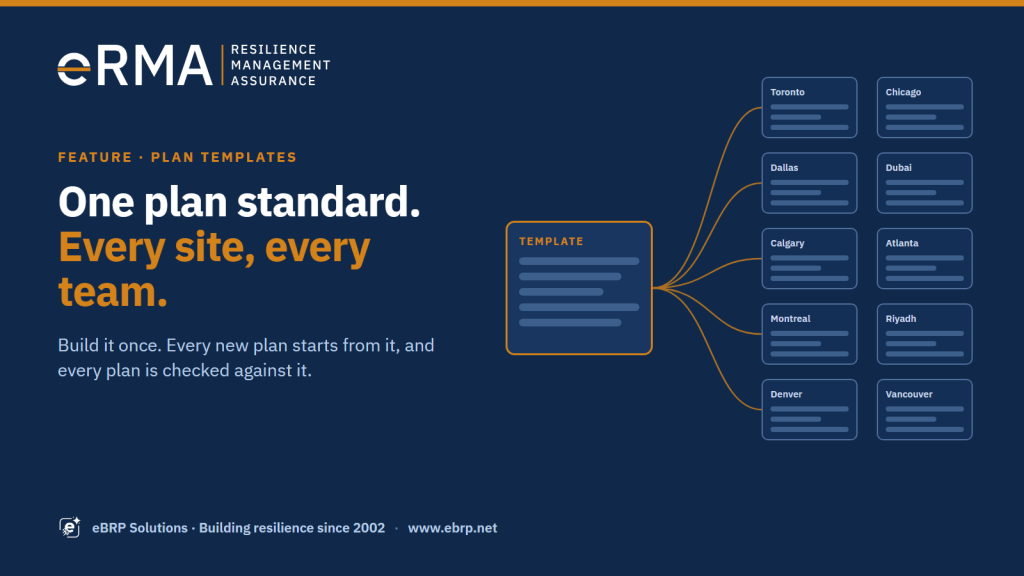
An enterprise doesn’t have one recovery plan. It has hundreds: one per site, per line of business, per critical application, each written by a different person at a different time. Left alone, every one of them grows its own shape. Plan Templates gives every plan of a kind the same structure, so the program can grow without losing its standard, and a responder who knows one plan can work any plan of that kind.
The problem it solves
- “Every site’s plan looks different, so every review starts with finding where things are.”
- “The policy says every plan needs contacts, locations and vendors. Half of them don’t have all three.”
- “The person who knows that plan is on leave, and nobody else can follow it.”
How it works
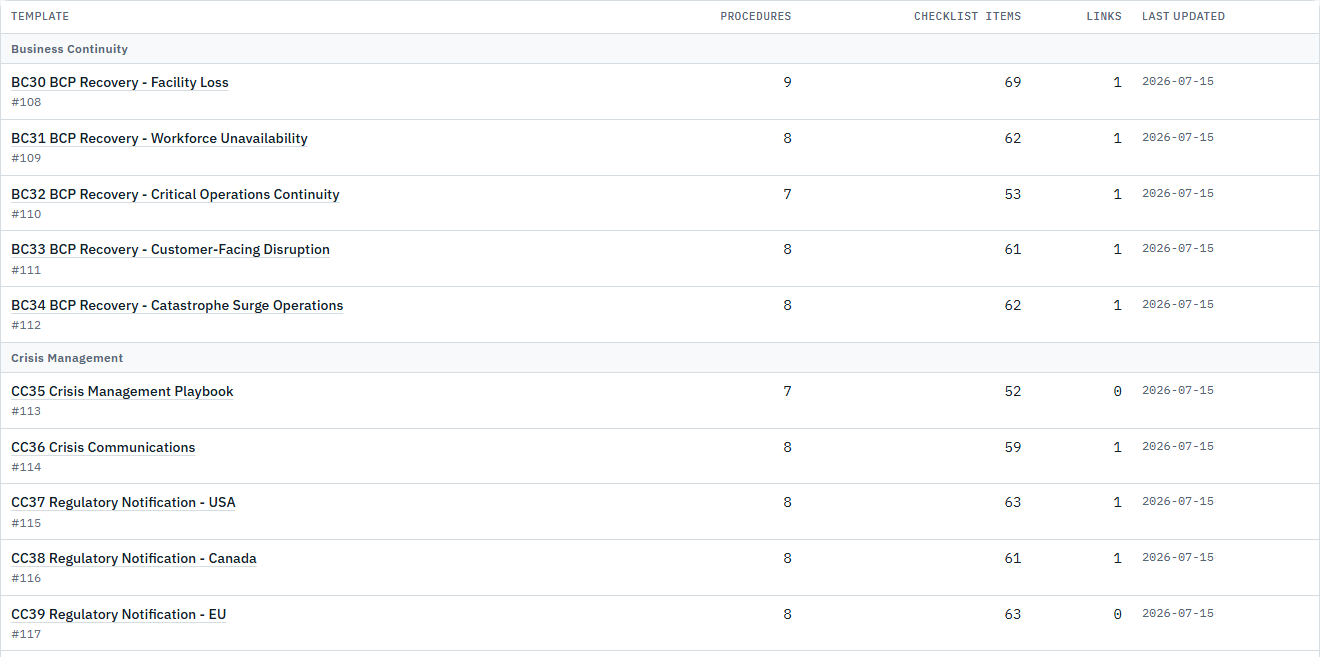
1. One template for each kind of plan
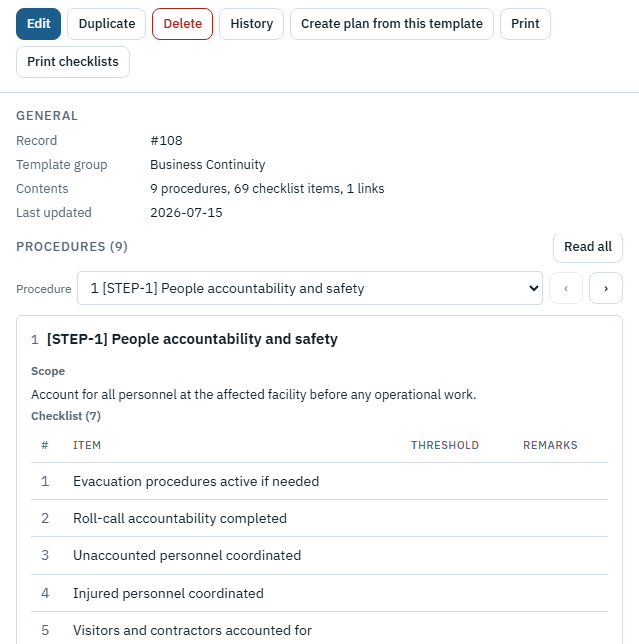
Administrators build the standard once: a template for business continuity, crisis management, regulatory notification, IT recovery or supplier failure. Each template holds its procedures in order, up to three levels deep, and every procedure carries its scope, instructions, checklist items and links. Templates sit in groups, so the library stays easy to find. A template can be duplicated to start a variant, every change is recorded in its history, and a deleted template can be restored.
2. Every new plan starts from the standard
The New plan wizard starts from a blank page or from a template. With a template, its procedures, checklists and links are copied into the new plan in one step, ready to be made specific to the site or team. The plan remembers which template it came from and when. If the template changes later, the plan says so, which shows exactly which plans to bring up to the new standard.
3. Policy built in, then checked
Each plan kind has required sections, set by administrators to match policy: a business continuity plan names its processes, contacts and locations; a continuity of operations plan adds vendors; an IT recovery plan names its applications and IT assets. The Plan Quality and Readiness dashboard then checks every plan against them, alongside review, approval, ownership, staffed teams, links to what the plan recovers, the RTO and the last exercise. A plan that has drifted from policy shows up by name, with the reason.
4. Learn one, run any
Plans of the same kind share their order, their headings and their checklist format. The procedure view shows one procedure at a time with its checklist, and every plan prints, or exports to PDF, in the same layout, including checklists on paper for the day the network is down. A responder trained on one site’s plan can step into another site’s plan of the same kind and know where everything is.
What it delivers
- Enterprise scale: fifty sites get fifty plans with one shape, built from the standard in minutes instead of written from scratch.
- Policy compliance: the required sections are in the template and checked on every plan, so compliance is visible plan by plan, not discovered at audit.
- Less training: people learn a plan kind once, not every plan.
- Cross-trained responders: when the usual team isn’t available, another team can run the plan, because it reads like every other plan they know.
Join an eRMA showcase: sixty minutes, live on Microsoft Teams. · Download the eRMA brochure: see the possibilities.