 eRMA
eRMA Plan Sequencer: the order your recovery really runs in
Put every plan in a scenario on one page, in running order: see the critical chain, the RTOs it would miss and the team clashes, then approve it.
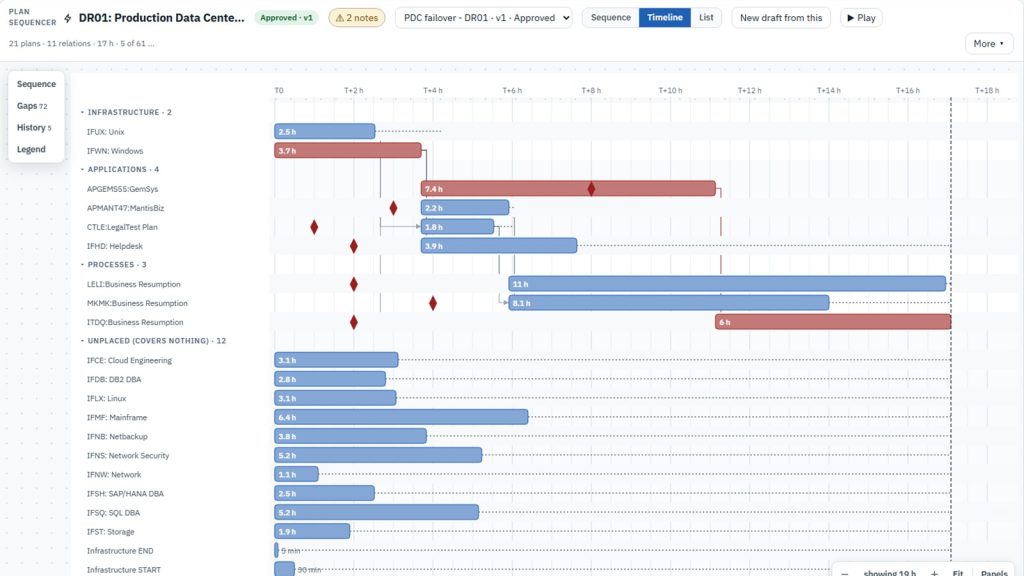
A recovery that needs twenty plans isn’t twenty separate recoveries. Infrastructure comes back before the applications that run on it, and applications come back before the business processes that use them. The Plan Sequencer puts every plan in a scenario on one page, in the order they will actually run, so the team can see how long the whole recovery takes and which recovery objectives it would miss.
The problem it solves
- “Each plan has its own timings, but nobody can say how long the full data center recovery takes end to end.”
- “The order plans run in lives in one person’s head, or in a slide from the last exercise.”
- “We only found out the application team was booked on three plans at once when the exercise started.”
How it works
1. Start from the scenario, not a blank page
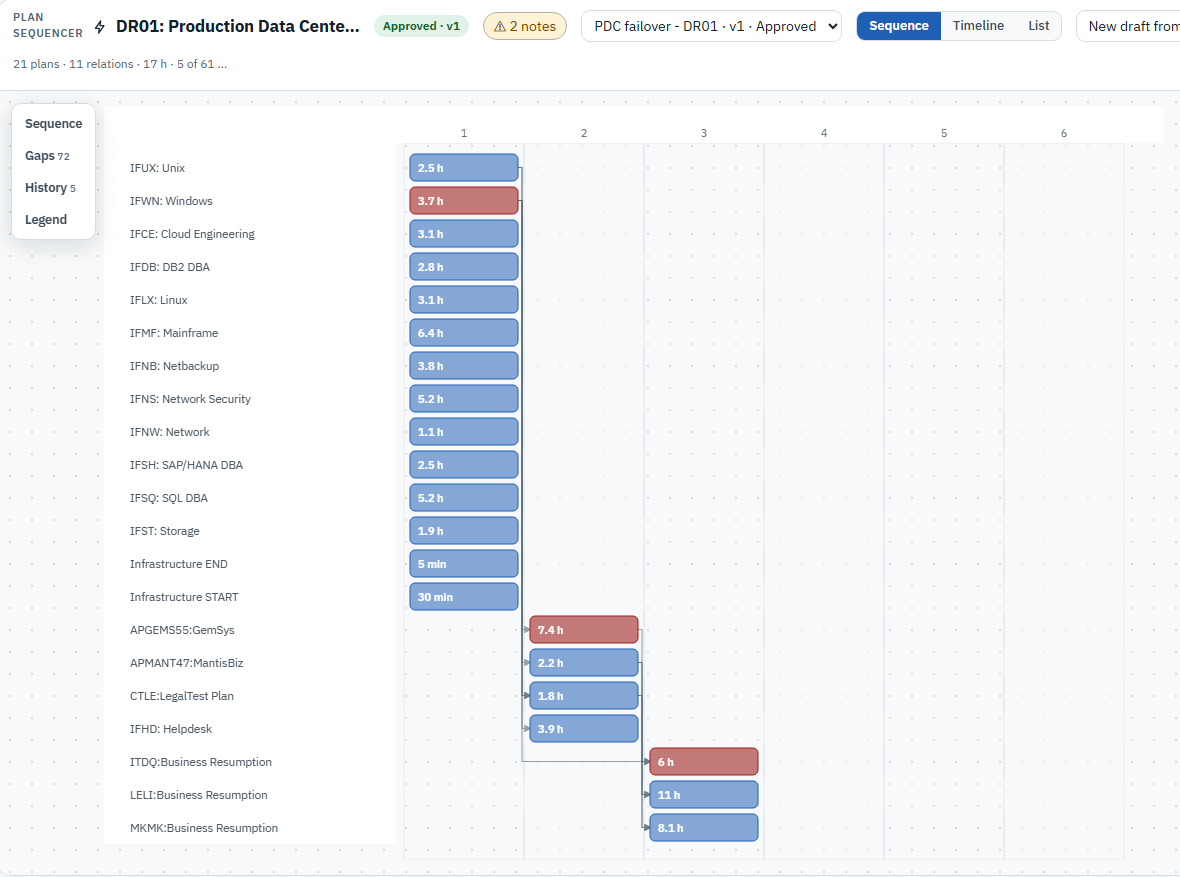
Open a scenario’s Sequence tab and the sequencer proposes a first order from what the scenario covers. It brings in the plans for the records in scope, puts infrastructure, applications and processes in their own lanes, and chains a plan after another wherever the dependency model says one record relies on the other. Each plan is one bar. In the Sequence view, each column is a step, so the order reads left to right at a glance. Plans can also be added from the plan catalogue, or the sequence can be built from scratch.
2. See the timeline and the critical chain
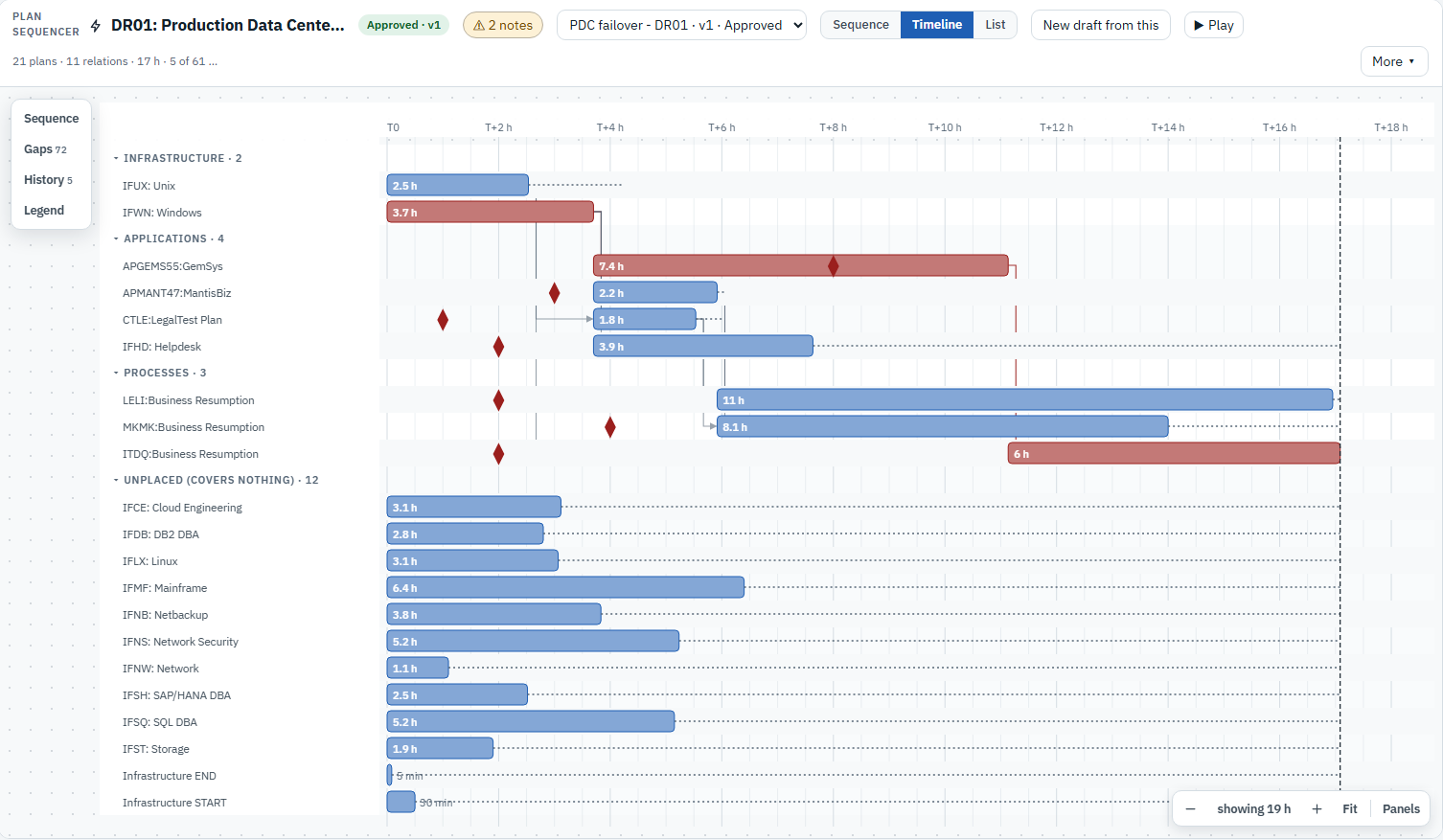
The Timeline view gives each bar its real duration. It highlights the critical chain, the plans that set the total recovery time, and marks the shortest RTO of what each plan covers, so a plan that finishes too late stands out. Relations are set by dragging. A plan can start with another, when another finishes, or a set time after either one, and each plan shows its slack, the time it could slip without delaying the end. A team load switch flags any recovery team that is needed in two or more plans at the same time. Play runs the recovery against the clock so a walkthrough can follow it step by step, and undo and redo keep editing safe.
3. Approve it, and keep it for the record
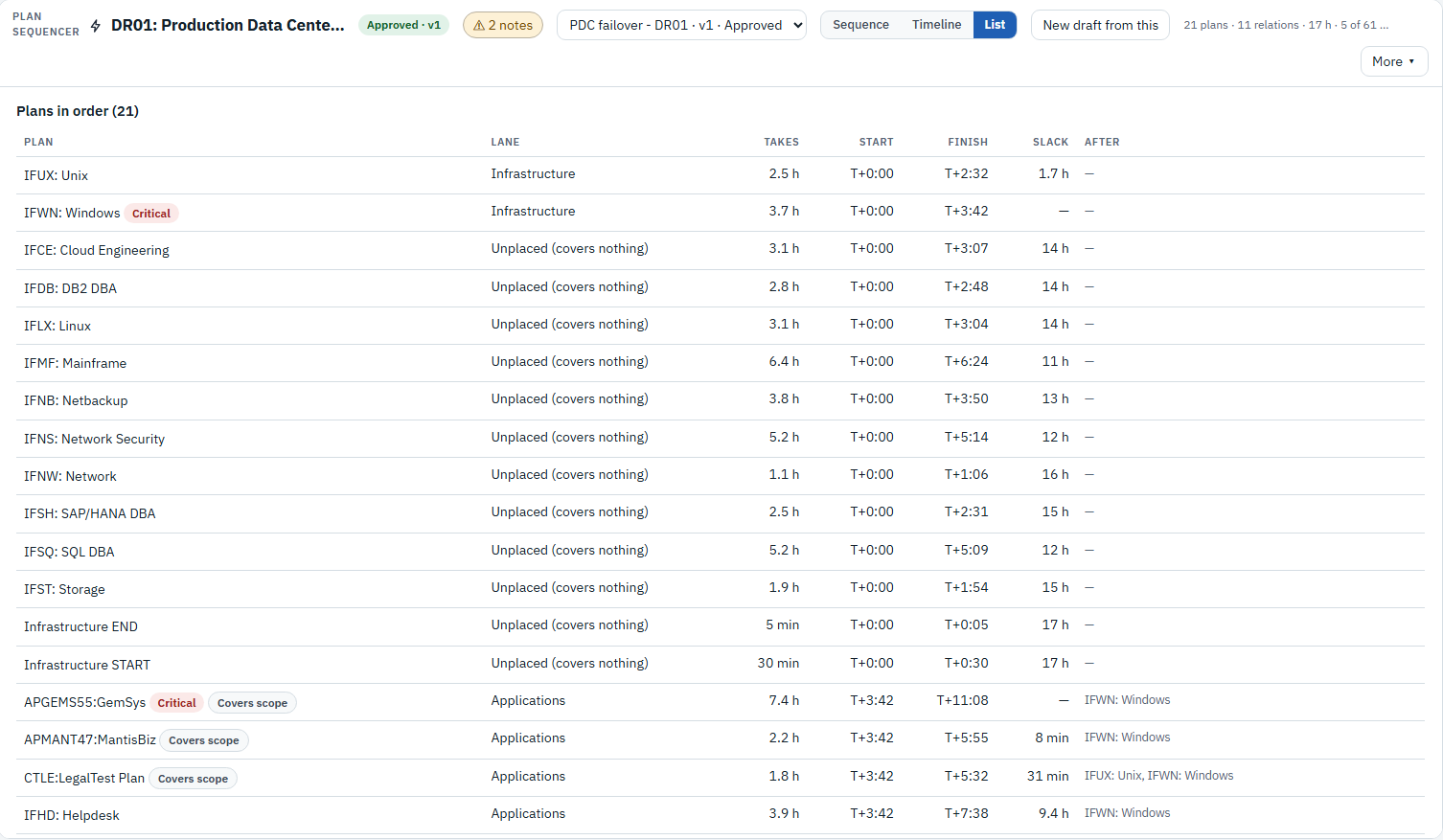
The List view sets out every plan with its lane, duration, start, finish, slack and the plans it runs after. A draft is validated and then approved as a numbered version, and the change history is kept. “New draft from this” starts the next round from the approved one, and two versions can be compared before the next approval. A printable brief gives the same order to anyone who needs it on paper.
What it proves
The order comes from the same dependency model and plans the rest of eRMA uses, so nothing is retyped into a project tool. When the model changes, a new draft can be derived again, with the differences shown. The total recovery time is calculated, not estimated, and a plan that finishes after the RTO of something it covers is shown as late. Plans that cover nothing in the scenario are listed separately rather than hidden. Going into an exercise, the order is already agreed, approved and printed.
See it on your own data: Book a demo