 eRMA
eRMA Business impact analysis: answer once, see every gap
Run the BIA as a living register: assess a group once, see where every value came from, follow progress live and spot RTO gaps as answers are saved.
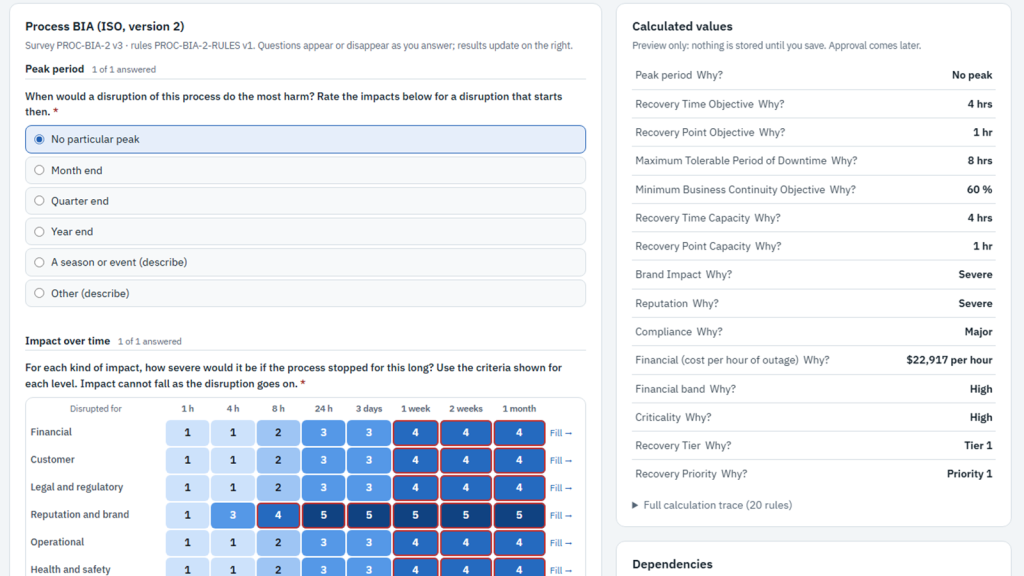
Every recovery decision starts with a business impact analysis (BIA): how long can this stop before the harm becomes unacceptable, and what has to come back first? eRMA runs the BIA as a living register rather than an annual document. A BIA can be done once for a whole group, every value shows where it came from, and the gaps it creates are visible as soon as an answer is saved.
The problem it solves
- “We send the same sixty questions to forty managers, and most of the answers are the same.”
- “By the time the BIA is approved, half of it is out of date, and nobody can say which half.”
- “Our process RTO is four hours, but the application it runs on takes a day to recover, and we found that out in an incident.”
How it works
1. Answer once, at the right level
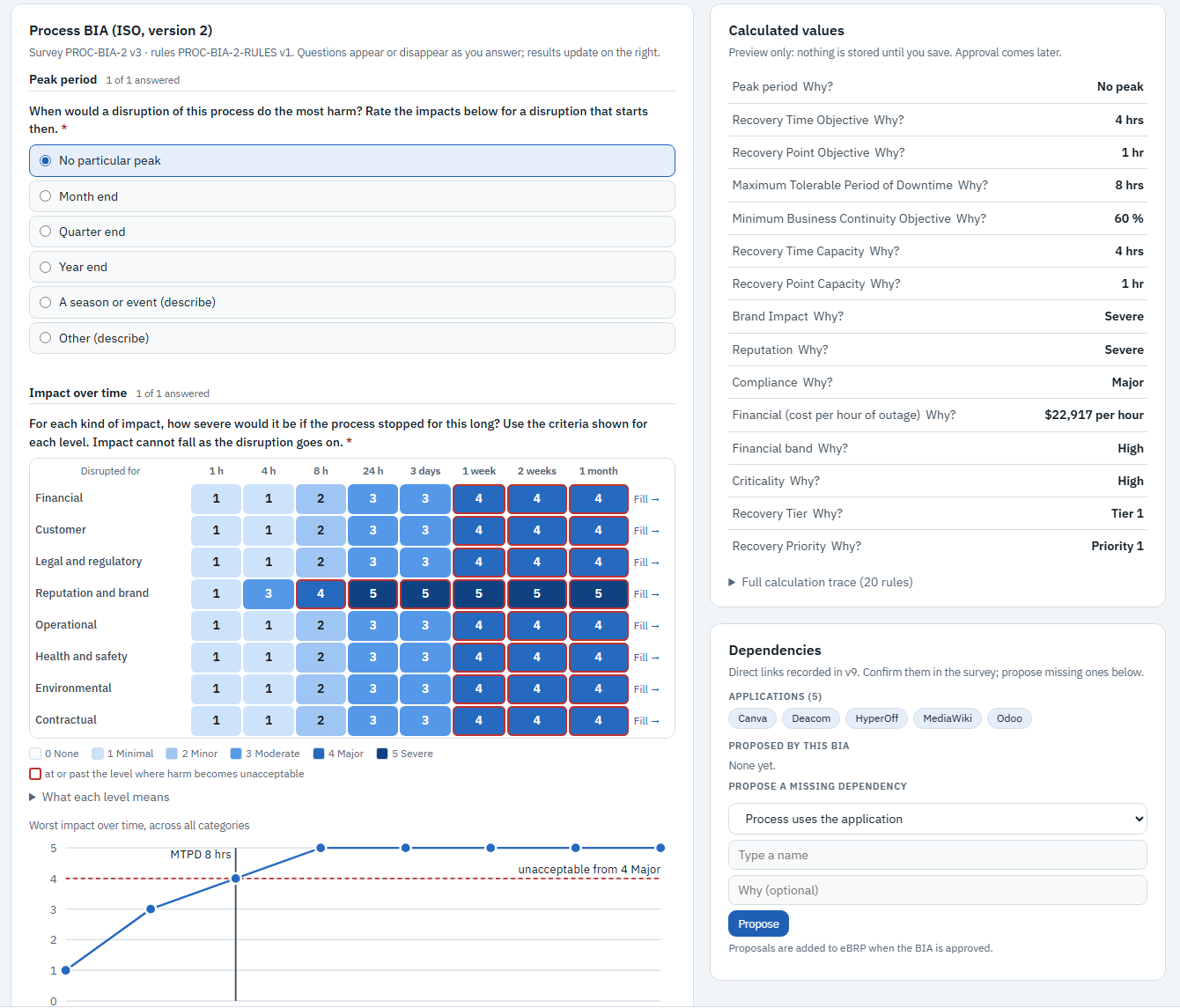
A BIA can be done on a service, process or application, or on its group. The survey adapts as it is answered: questions appear or disappear depending on earlier answers. The impact-over-time grid rates each kind of harm (financial, customer, legal and regulatory, reputation, operational, health and safety, environmental, contractual) from one hour to one month. Ratings cannot fall as a disruption goes on. While the survey is being answered, the calculated values (RTO, RPO, maximum tolerable period of disruption, minimum business continuity objective, criticality and recovery tier) update beside it. Each value has a “Why?” link and a full calculation trace. Only one person answers a BIA at a time. They can hand it back, so two people never overwrite each other’s work.
When a group’s BIA is approved, its values pass down to every record in the group that has no BIA of its own. Each value is labelled as the record’s own or inherited, and from which group. A record that needs different values gets its own BIA, which takes precedence.
2. Watch the campaign as it happens
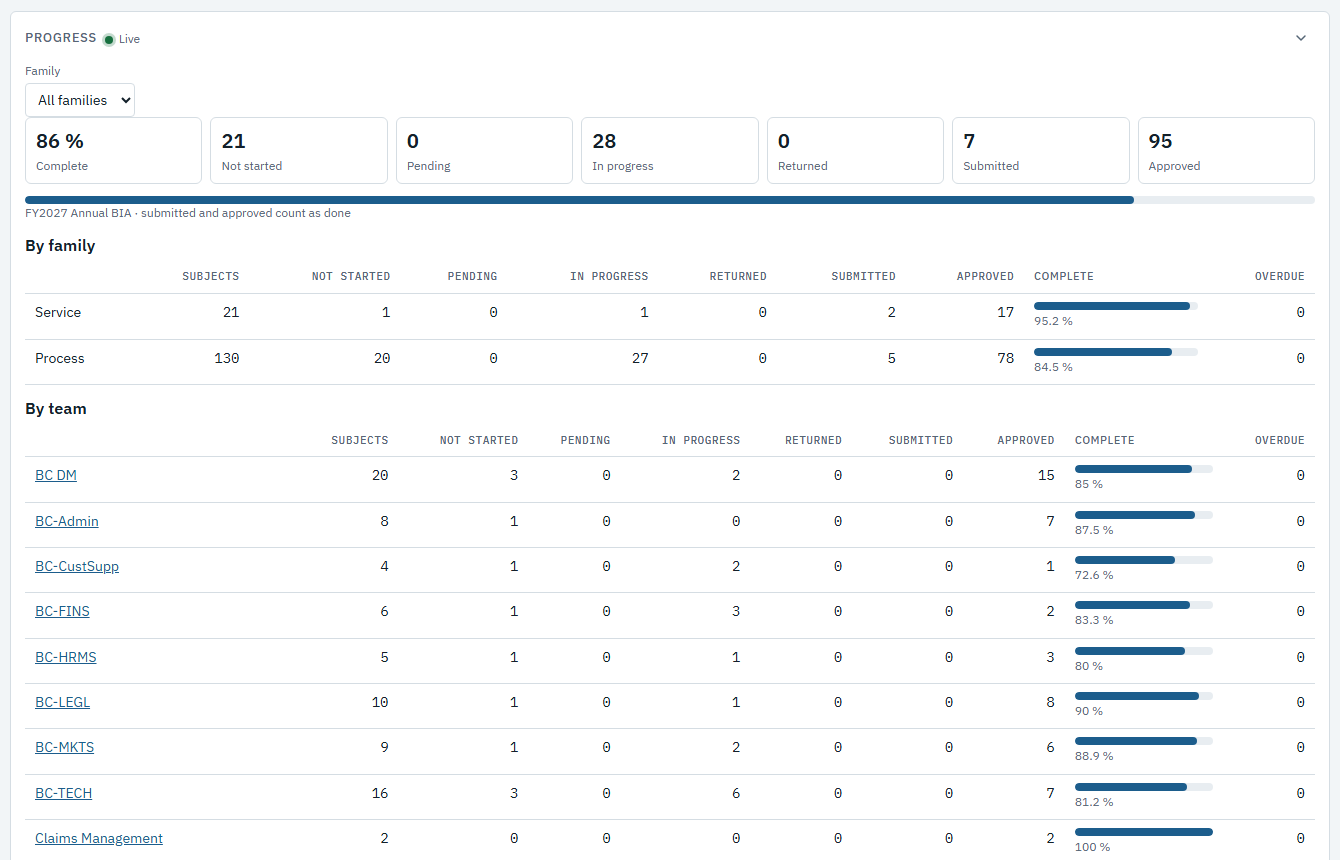
Coordinators open a BIA cycle, assign who answers each BIA, and follow progress live. Totals for not started, in progress, returned, submitted and approved update as people save, without refreshing the page. The same figures are broken down by family and by team, so a reminder goes to the team that needs it rather than to everyone. Submitted BIAs go through an approval step before their values count as approved.
3. See where the objectives don’t fit together
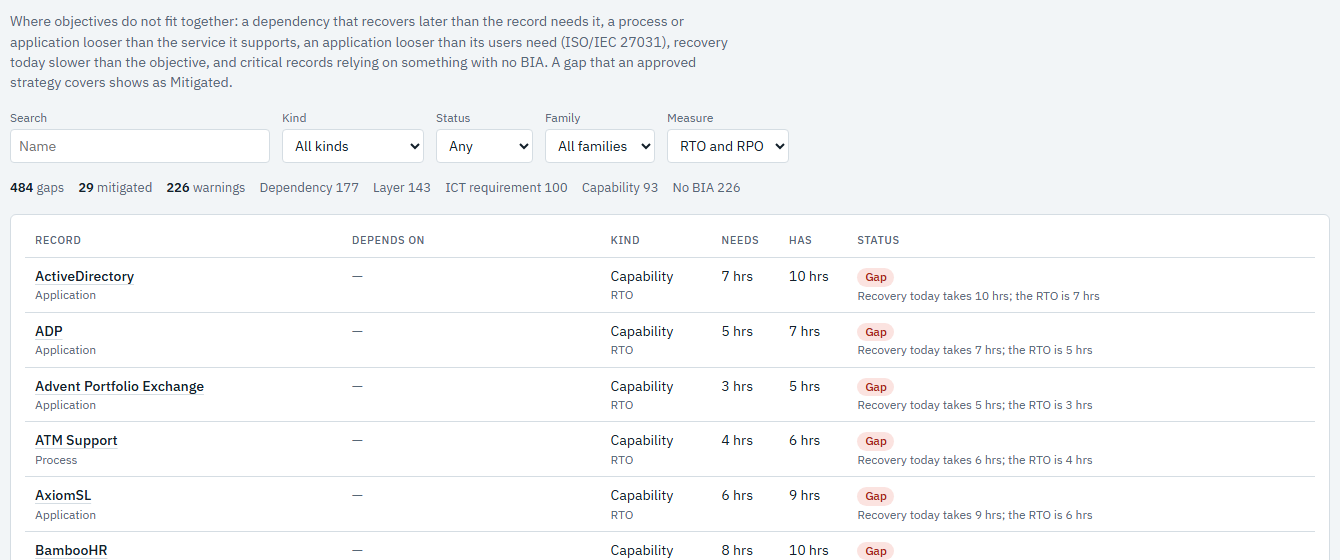
The Gaps view compares objectives across the dependency model. It lists a dependency that recovers later than the record needs it, a process or application with a looser objective than the service it supports, and recovery today that is slower than the objective. It also flags critical records that rely on something with no BIA. A gap that an approved recovery strategy covers is shown as Mitigated, so the list stays focused on what is still open.
What it proves
The BIA, the dependency model and recovery planning read from one source, so an RTO is never retyped into a second spreadsheet. A record without an approved value shows as Unknown, never as a default that looks healthy. Every count includes only the BIAs the viewer is allowed to read. For an auditor, one download (the evidence pack, an Excel workbook) holds the register, responses, impact grids, answers, approvals, gaps and proposed dependencies. The method follows ISO 22301 clause 8.2 and ISO/TS 22317, with ISO/IEC 27031 used for ICT requirements.
See it on your own data: Book a demo